
In a nutshell: The LinkedIn Ad Library is a free, public repository of ads running on the platform. You can reach it from the Ads section of any company page or at linkedin.com/ad-library, and see each ad’s creative, copy, CTA, format and start date. It doesn’t show spend, targeting or performance metrics, but it’s perfect for mapping competitors’ formats, copy patterns, offers and long-running ads.
The LinkedIn Ad Library is one of the most powerful (and least known) free tools out there for anyone in B2B marketing.
If you already run ads on LinkedIn or you’re planning to start, knowing how to use this library could be the missing piece that stops you from spending in the dark and gets you making calls based on real data.
In this article, you’ll learn what the LinkedIn Ad Library is, how to access it step by step and, most importantly, how to pull practical insights to optimize your campaigns. Let’s go!
What is the LinkedIn Ad Library?
The LinkedIn Ad Library is a public repository of ads running on the platform.
It was originally created as a transparency measure: anyone can see any company’s active ads, without a premium account, without following the page and at zero cost.
So what’s in it for you?
In practice, it means you get access to a huge database of creatives, formats and messages that your competitors and industry leaders are using right now. It’s competitive intelligence served on a silver platter.
How to access the LinkedIn Ad Library
Here’s the full step-by-step, because (as you’ll see) getting there isn’t as obvious as it should be.
Option 1: From a company page
- Log in to LinkedIn as usual (a free account works).
- Go to the company page you want to analyze: a competitor, an industry leader, any brand.
- Scroll until you find the “Ads” section in the left-hand menu.
- Click “See all ads”.
Done. You’ll see all of that company’s active ads.
Option 2: Straight from the Ad Library link
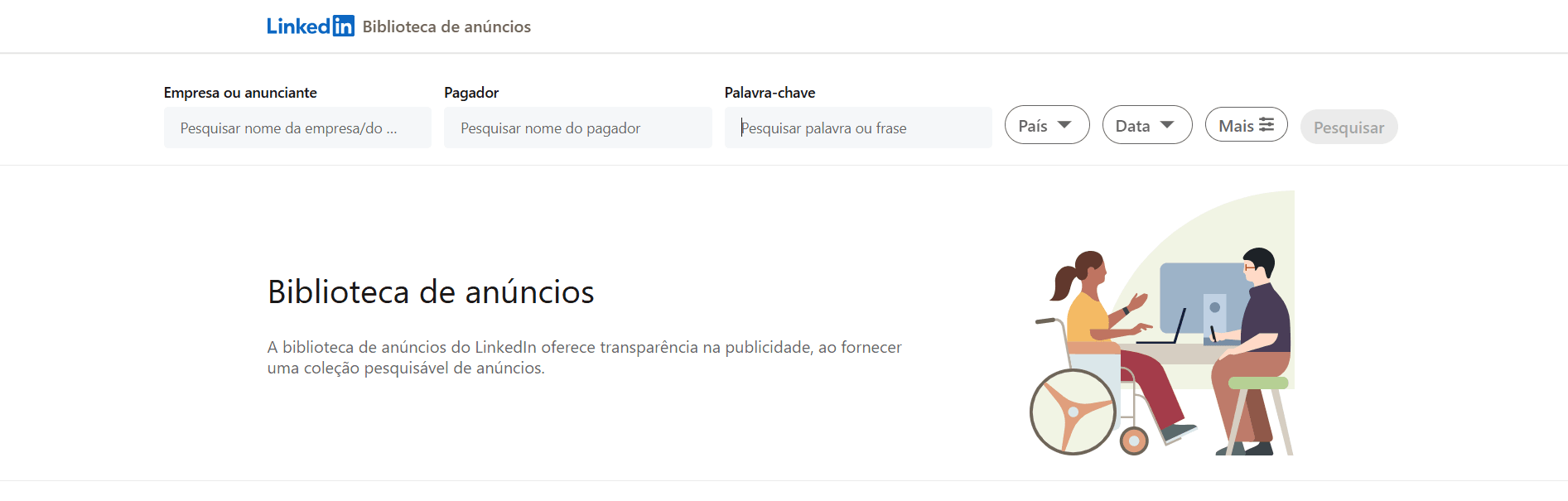
LinkedIn also offers a central entry point to the tool. Just go to:
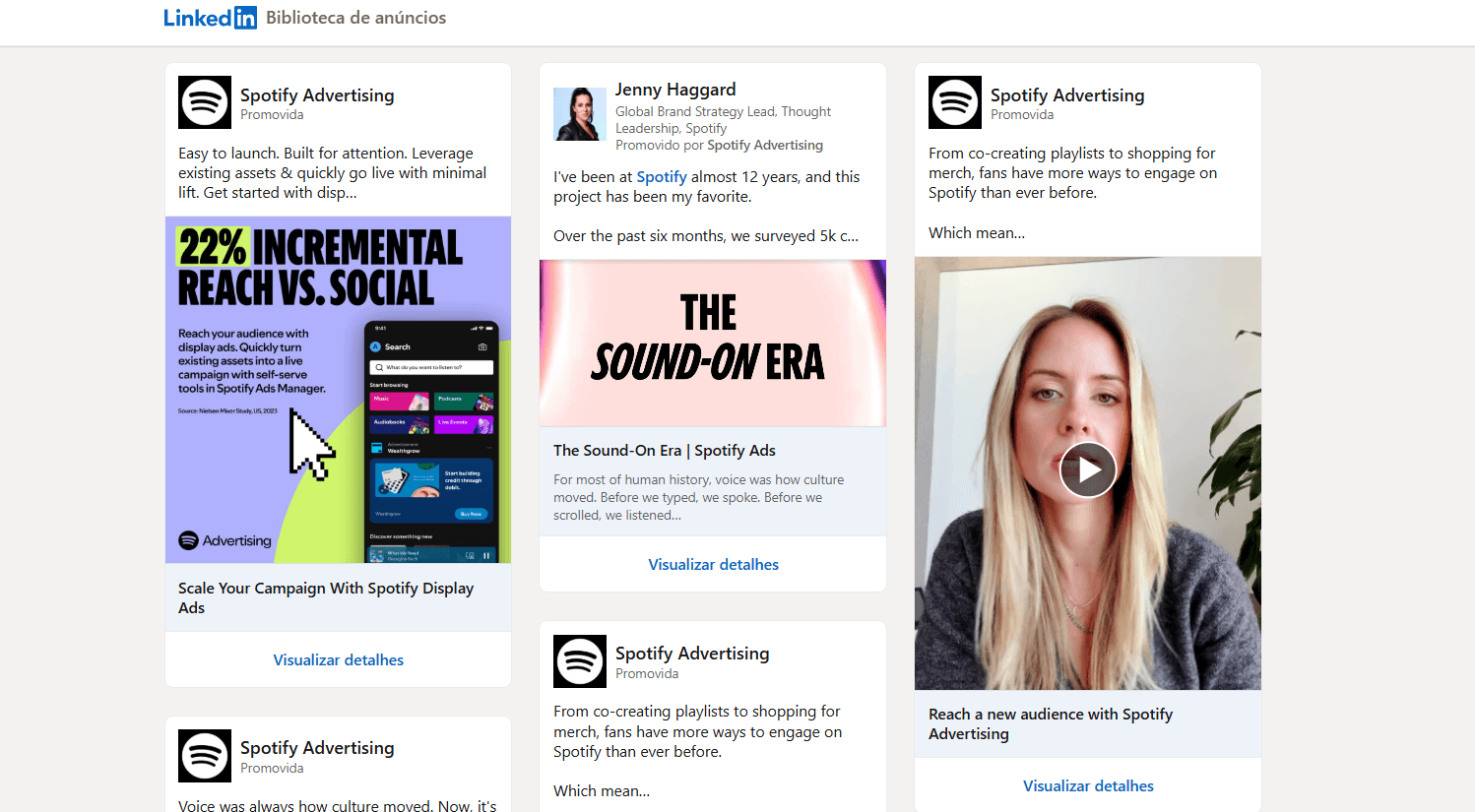
On that page, you can search any company’s ads by name, without going profile by profile. It’s the most efficient way to compare several companies at once.
💡 Tip: even people who’ve used LinkedIn for years usually don’t know this feature exists. Worth sharing this article with your team. 😉
What can you see in the Ad Library?
For each ad, the library shows:
- The full creative (image, video, carousel or document)
- The ad copy (headline, main text and CTA)
- The start date
- The ad format
- The advertiser page
What it does not show (at least publicly): spend, targeting and performance metrics. That’s where the qualitative analysis below comes in.
How to use the Ad Library for benchmarking and campaign optimization
Now for the good stuff. Access to your competitors’ ads is useless if you don’t know what to do with it. Here’s how to turn the Ad Library into a real source of intel for your campaigns.
1. Map which formats your competitors are betting on
The first exercise is simple: open the Ad Library for 5 to 10 companies in your industry and look at which formats show up most often.
- Are they running lots of Sponsored Content (sponsored posts in the feed)?
- Do you see lots of carousels or Document Ads?
- Is it mostly video or static images?
When a format keeps popping up across companies in the same niche, that’s no coincidence. It’s a sign it’s working. The market already tested it for you.
If everyone in your space is running carousels with customer case studies and you’re still running static product shots, it might be time to rethink your strategy. (Our guide to LinkedIn ad formats can help.)
2. Look at ad frequency and longevity
An ad that’s been running for weeks or months is rarely kept alive out of stubbornness. On LinkedIn Ads, where CPMs tend to be high, companies usually pause what doesn’t perform pretty fast.
So, ads with an old start date = ads that are getting results.
Use that as a quality filter. If you find a competitor’s creative that’s been live for more than 30 days, give it extra attention. Study the format, message, CTA and offer.
3. Crack the copy patterns
By analyzing 10 to 20 ads in your industry, you can spot writing patterns the market has already validated. Pay attention to:
- The first line of copy: LinkedIn truncates text after a few lines, so what shows first is the most strategic part. The best advertisers put the value prop or a provocative question right there.
- The most common CTAs: “Learn more”, “Download now”, “Talk to an expert”? Each CTA signals a different funnel stage.
- The tone: more technical and formal, or more direct and conversational? That says a lot about what resonates with that market’s audience.
You’re not going to copy. You’re going to calibrate. There’s a big difference between ripping off an ad and understanding the language patterns that work with a given audience.
4. Spot the most common offers (and the gaps)
Notice what companies are offering in their ads: e-books, webinars, free trials, demos, consultations, market reports.
When everyone offers the same thing (a generic e-book, for example), there’s an opportunity to stand out. If your market is flooded with “download our complete guide”, a personalized demo or a free assessment might pop way more in the feed.
On the flip side, if everyone is offering demos and you’re still asking for an email in exchange for a PDF, your offer might be out of sync with your audience’s maturity.
5. Use it to build your creative swipe file
Before you brief your design team or agency, spend some time in the Ad Library collecting visual references from what’s running in your market.
Build a folder with screenshots of the ads that caught your eye and note what you liked about each one: composition, color palette, use (or not) of people, headline style.
This exercise saves hours of briefing and aligns expectations way better than any text document.
6. Monitor competitors on a regular basis
The Ad Library isn’t a one-and-done visit. Add it to your monthly (or biweekly, depending on your market) routine.
Set up a simple doc (a spreadsheet works) to log:
- Which new ads your main competitors launched
- Which older ads are still running (or got paused)
- New formats or angles that showed up
Over time, you’ll build a historical view of what the market tests and drops, and what actually sticks. That’s gold when you’re prioritizing experiments for your own campaigns.
Limitations you need to know about
The Ad Library is powerful, but it has limits you should keep in mind:
- It doesn’t show paused ads. You only see what’s live right now.
- It doesn’t reveal targeting. You can’t tell if an ad is going to HR directors, tech startups or companies with 500+ employees.
- It doesn’t show metrics. No CTR, no conversion rate, no cost per lead.
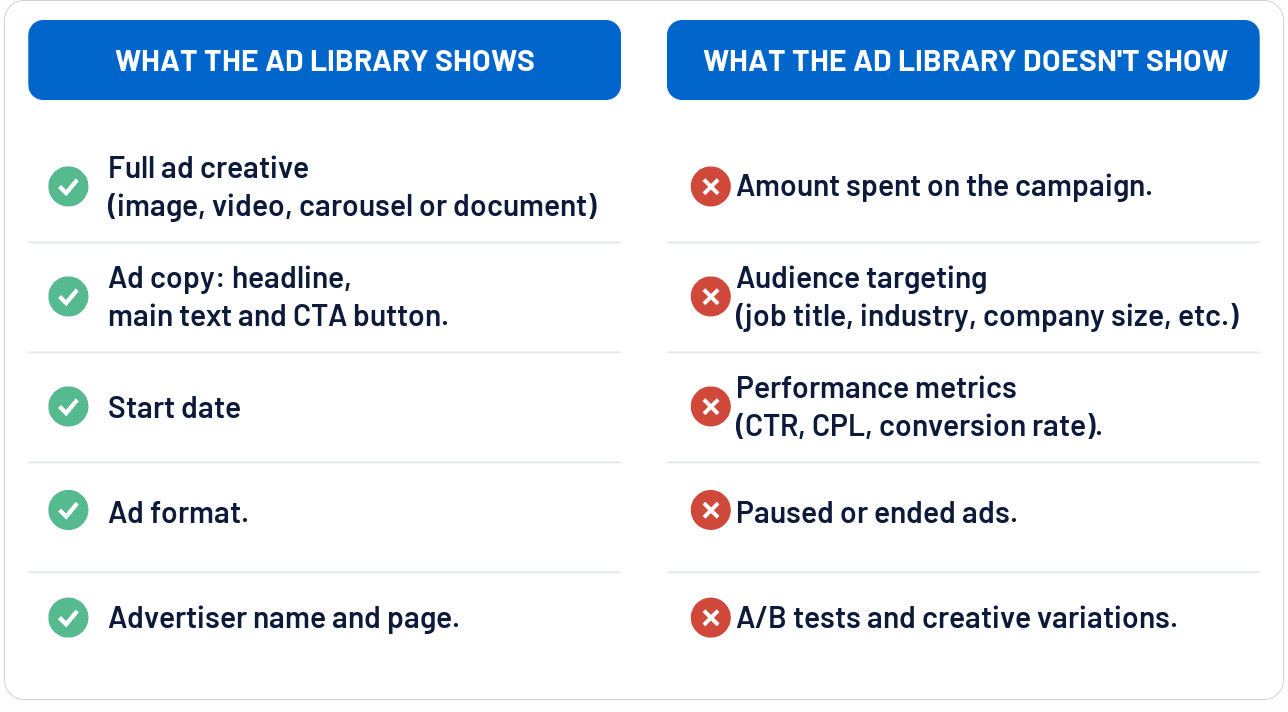
That means all your analysis is qualitative. You’re inferring what works from indirect signals, and that takes a bit of practice and critical thinking.
Good to know: for ads shown in the European Union, transparency rules (the Digital Services Act) require platforms to disclose a bit more, like impression ranges and targeting parameters, so you may see extra details on ads that ran in the EU.
Wrapping up
The LinkedIn Ad Library is one of those tools you can’t unsee once you discover it. In a world where ad costs are significant and the pressure for results never lets up, free access to the market’s creative intelligence is an edge very few marketers are using.
Go check it out now, study your main competitors’ and industry leaders’ ads, and use what you learn to test, refine and improve your own campaigns. The most honest benchmark out there isn’t in any report; it’s in what companies are putting real money behind right now.
Liked this? Share it with someone on your marketing team who doesn’t know about the Ad Library yet.
Frequently asked questions
What is the LinkedIn Ad Library?
It’s LinkedIn’s public ad library: anyone can see any company’s active ads, free and without a premium account.
How do I access the LinkedIn Ad Library?
From the Ads section on a company page (See all ads) or directly at linkedin.com/ad-library, searching by company name.
What doesn’t the Ad Library show?
Spend, targeting and performance metrics like CTR, conversion rate and cost per lead.
How can I tell if a competitor’s ad is working?
Check the start date: ads that have been running for 30+ days are usually performing, since nobody keeps paying for what doesn’t work.