




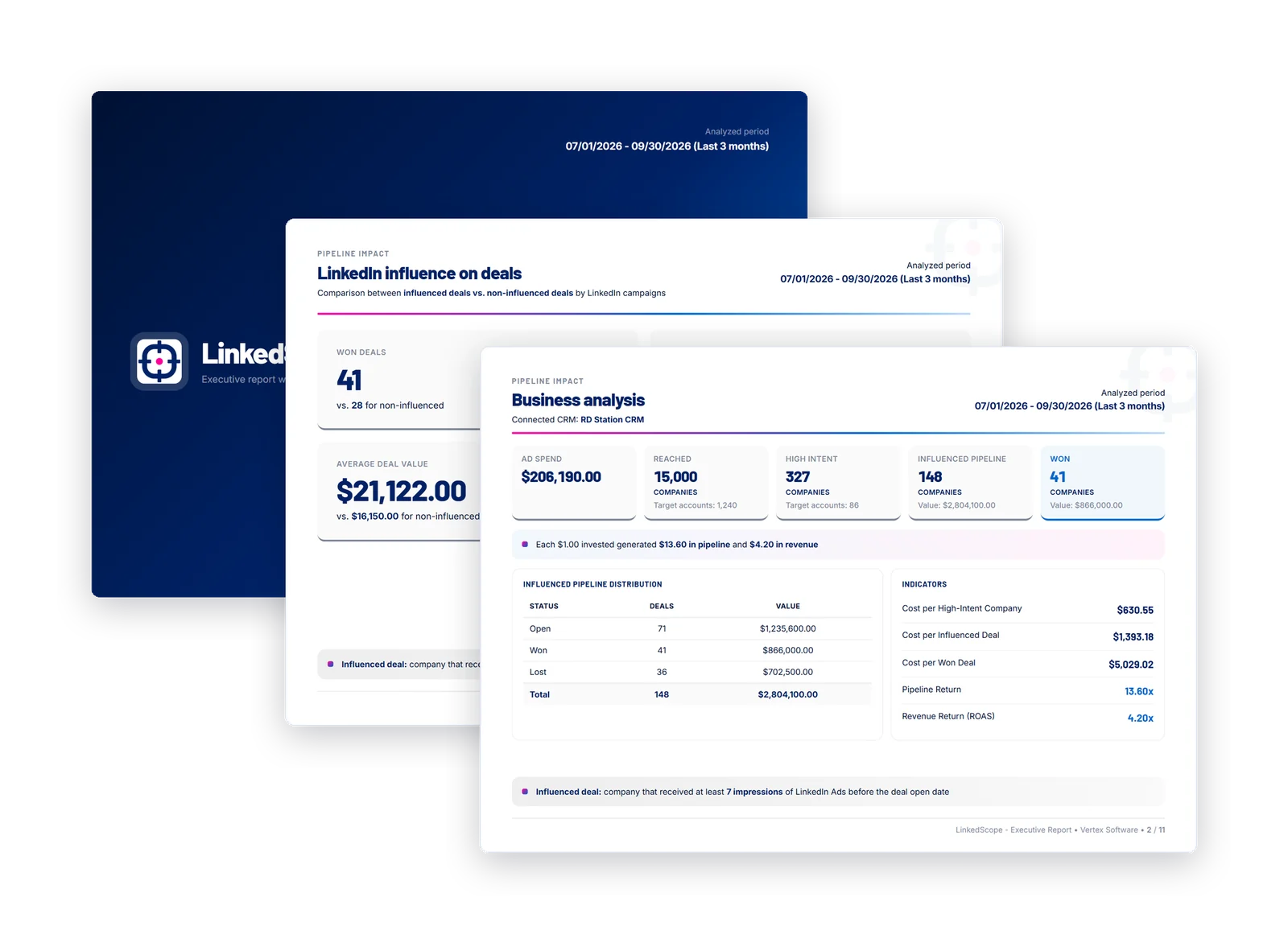
How much of this quarter’s pipeline did LinkedIn Ads influence?
31 deals in your CRM come from companies reached by your LinkedIn ads before the opportunity was created: $1.84M in open pipeline and $412K won.
Want to see which campaigns touched each of these deals?
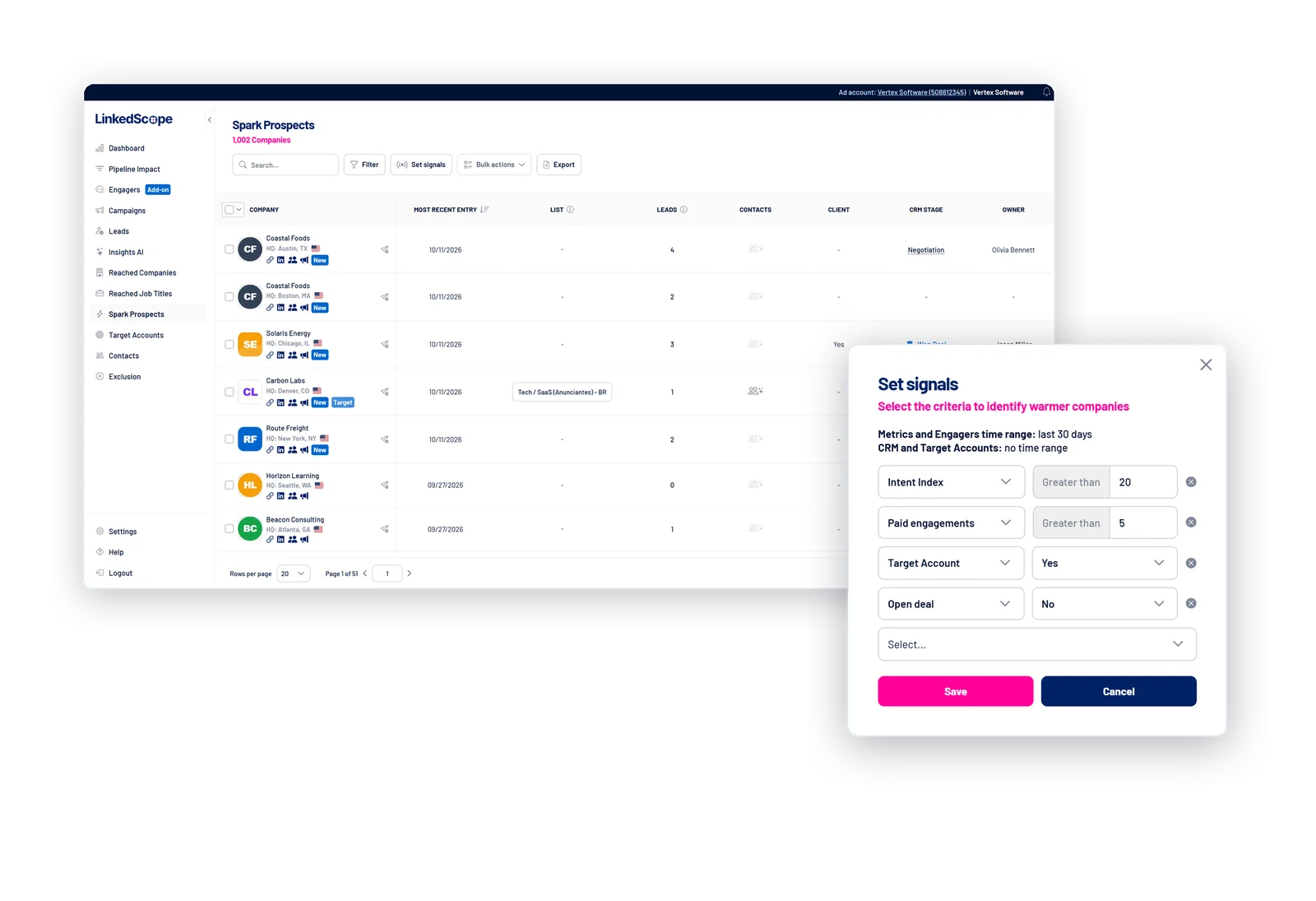
Which target accounts warmed up in the last two weeks and still have no open deal?
7 target accounts rose in the Intent Index and none has an open deal. The three hottest:
Shall I open a CRM deal for each account?
Audit my LinkedIn campaigns from the last 90 days.
I found three points that need attention:
22% of spend went to companies outside your ICP, mainly retail and education.
Demo · Directors has a 9.4 frequency and CTR −38% over four weeks: a sign of fatigue.
Analysts account for 31% of impressions, but no won deal has that job title.
Want me to prepare an exclusion of the off-ICP companies for you to review?
Exclude companies that are already customers from my LinkedIn campaigns.
Add 46 companies with a won deal in the CRM to the “Active customers” exclusion list
Confirm
Done. 46 companies excluded across 5 campaigns. The action was logged in the audit trail under your name.
“At the start of the project our share was 10% of our target accounts; now it is 30%. Over the months we invested R$240K in ads, and all the deals won from companies that were reached by the ads at some point add up to R$8 million.”
“LinkedScope makes LinkedIn tracking much faster. Social selling is relatively easy; the hard part is measuring whether it is really working. That is where LinkedScope comes in. The campaigns feature is also excellent, because it centralizes everything and lets you follow, one by one, what is happening with each company reached.”
LinkedIn Ads, Google Ads, Meta Ads and the leading CRMs connect in a few clicks, with official sign-in. For everything else, webhooks send the data wherever your team works.







LinkedScope is a B2B Ads Orchestration platform: it connects LinkedIn Ads, Google Ads and Meta Ads to your CRM in both directions: your CRM guides your ads, and your ads feed your CRM.
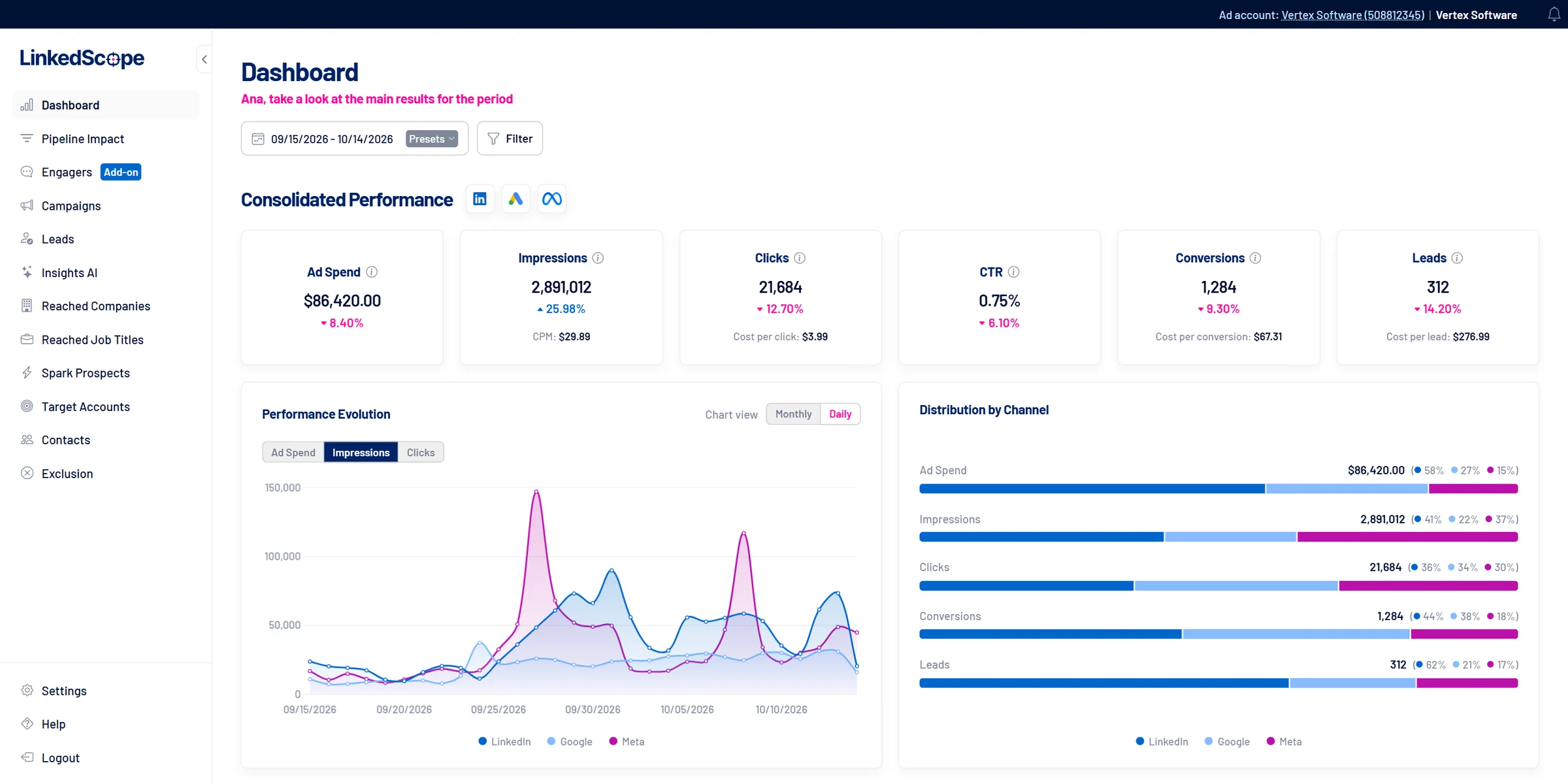
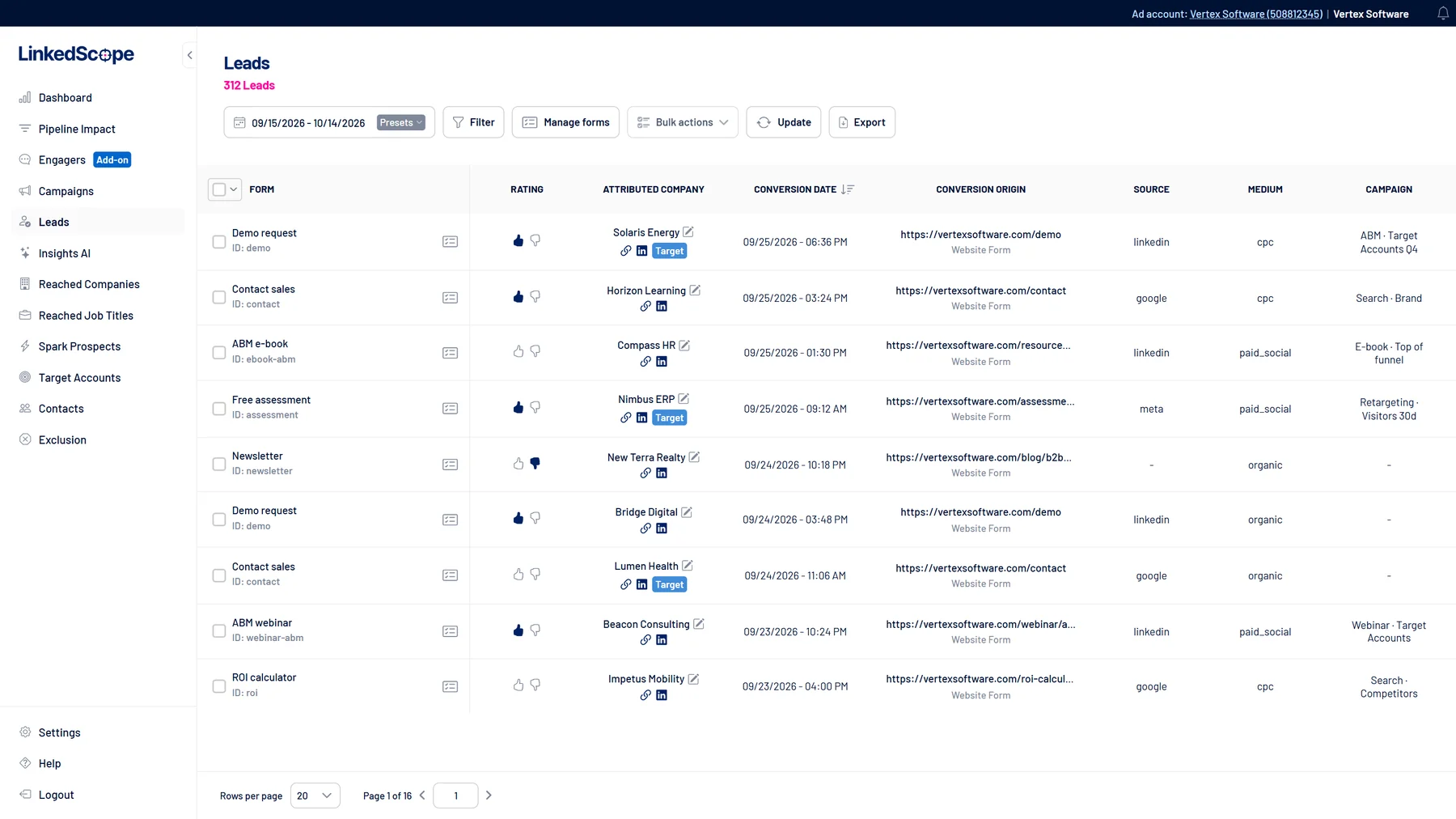
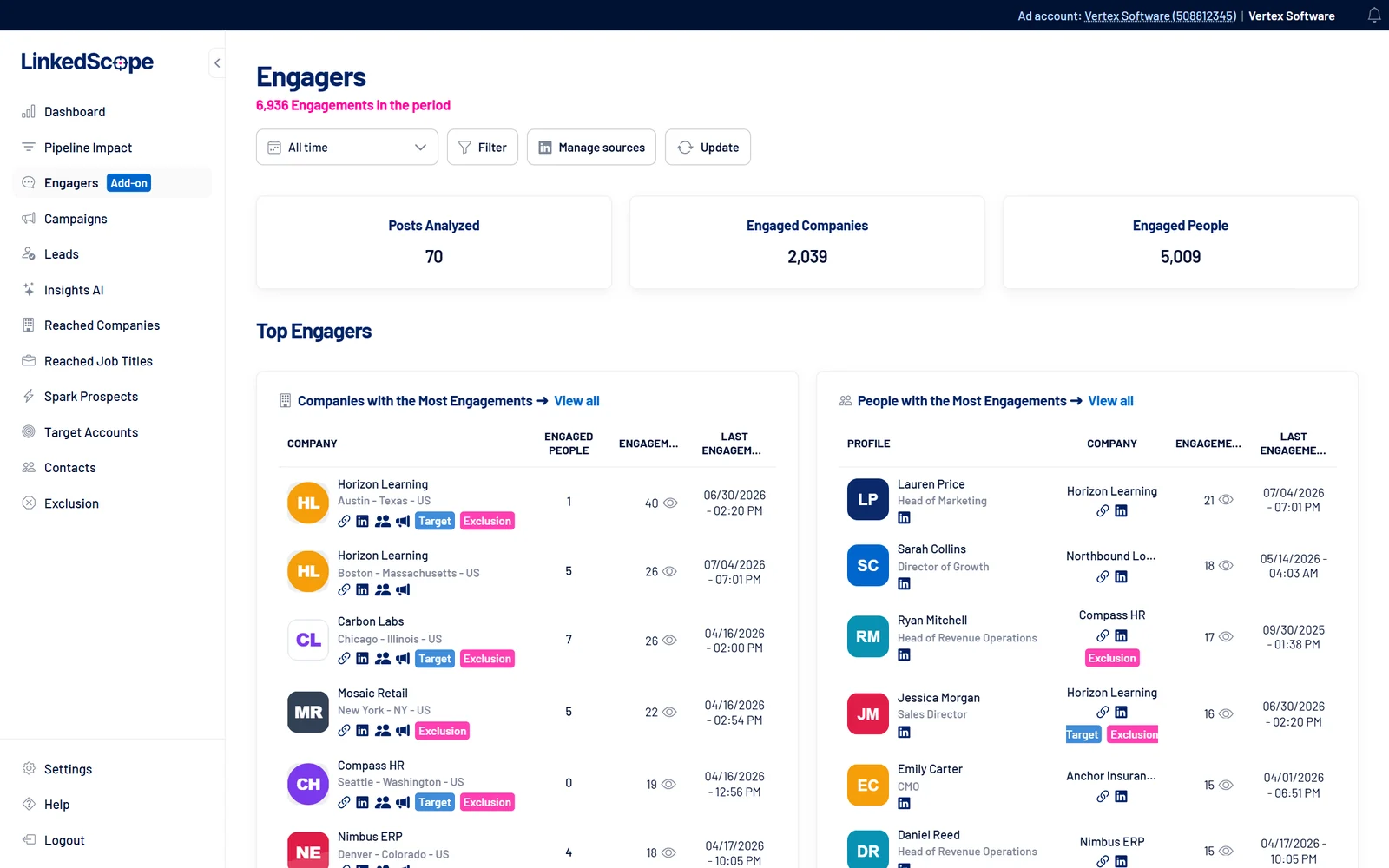
With it you analyze results (Dashboard, Pipeline Impact and Executive Report), identify opportunities (reached companies and job titles, Spark Prospects and organic signals) and execute: ABM audiences, leads, conversions and automations.
You can also just ask in plain language, through LinkedScope AI or MCP, and the AI only acts after you confirm.
Sometimes searched for as Linkscope or LinkedIn Scope.
For B2B companies that advertise on LinkedIn Ads, especially those with high deal values and long sales cycles, and for the agencies that manage those accounts.
The marketing team uses LinkedScope to run and optimize campaigns; leadership uses it to follow the impact on pipeline and revenue. You need active campaigns: the company, intent and pipeline features work on the data from the campaigns you already run.
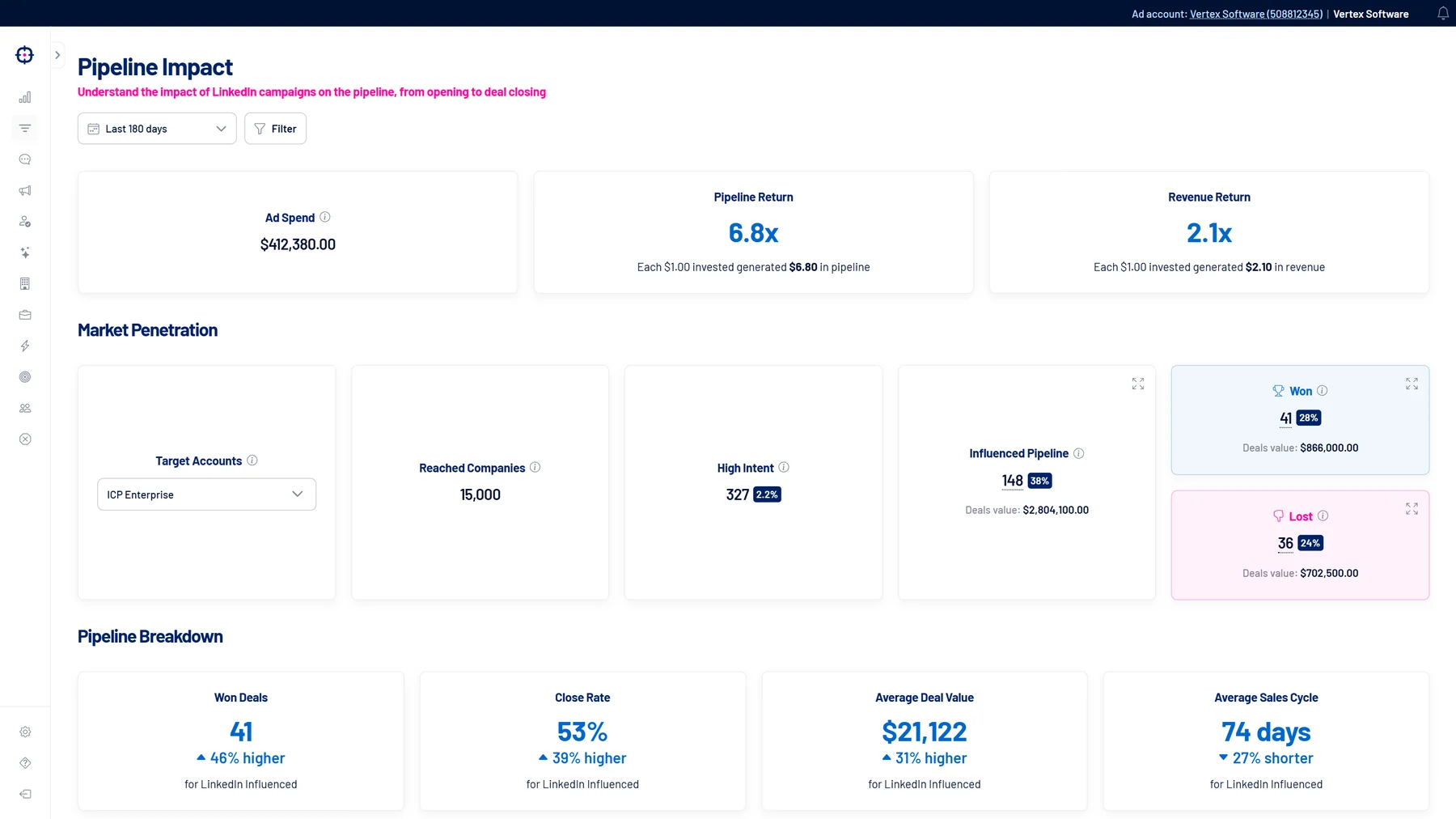
LinkedScope matches the companies reached by LinkedIn Ads with the deals in your CRM. A deal counts as influenced when the company was reached by the ads before the deal was created, with a minimum number of impressions (7 by default, adjustable).
From there you see influenced pipeline, won and lost deals, close rate, average deal value, sales cycle and the return on every dollar invested, comparing influenced deals with all others. See how Pipeline Impact works.
First by the company’s website domain, with automatic fixes for common URL variations (prefixes, subdomains, protocol). Without a domain, by company name. Optionally, you can turn on matching by deal name for deals that have no company associated in the CRM.
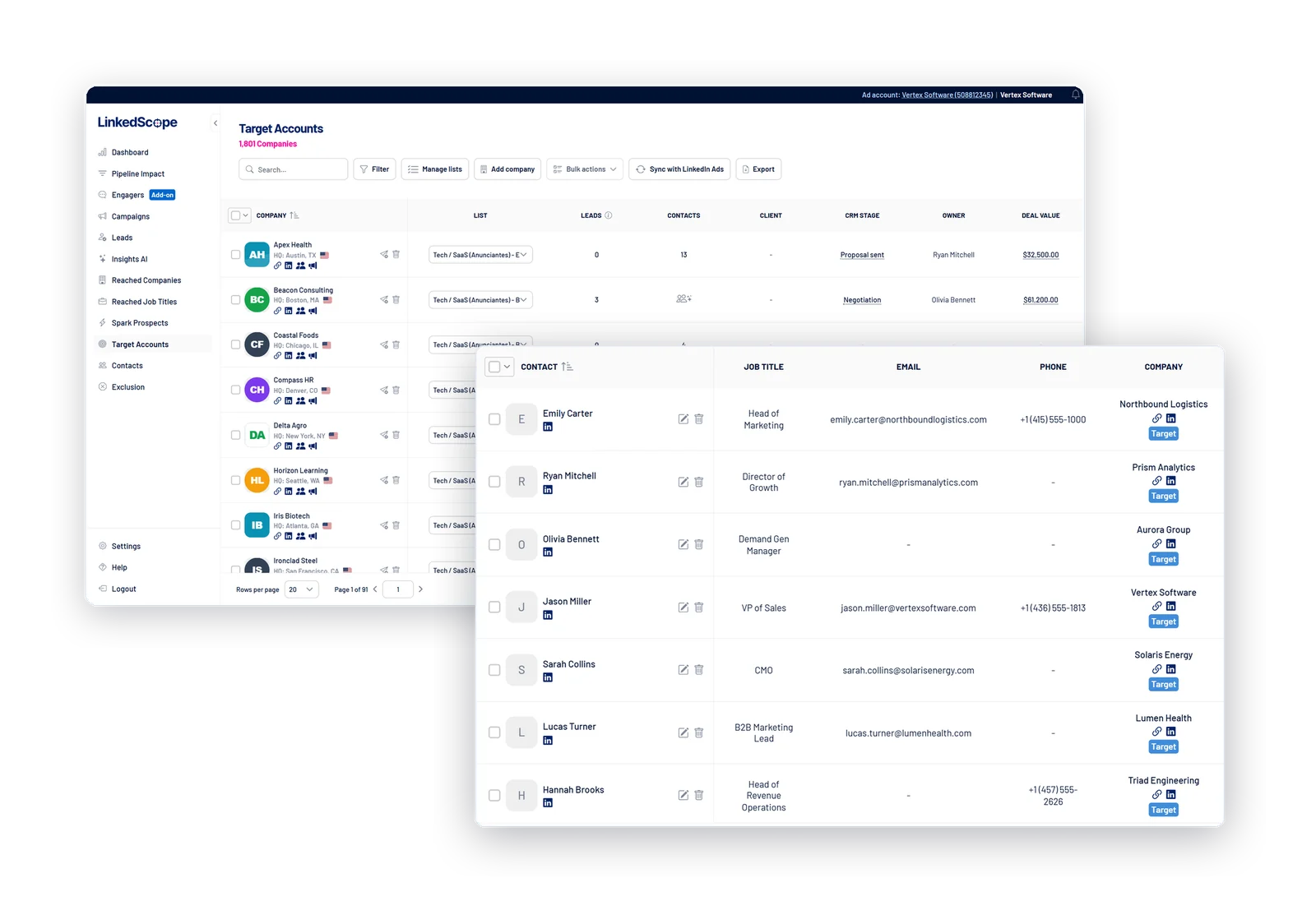
Natively: HubSpot, Salesforce, Pipedrive, Microsoft Dynamics 365, RD Station CRM and Clientify. Any other CRM can be connected through a middleware such as n8n or Make.
Leads, engagers and contacts can also be sent to WaLead.ai, Snov.io and Apollo, and webhooks deliver data to n8n, Make, Zapier, Clay, Slack or spreadsheets: leads and engagements in real time, and reached companies on a schedule, with the criteria you define. See how webhooks work.
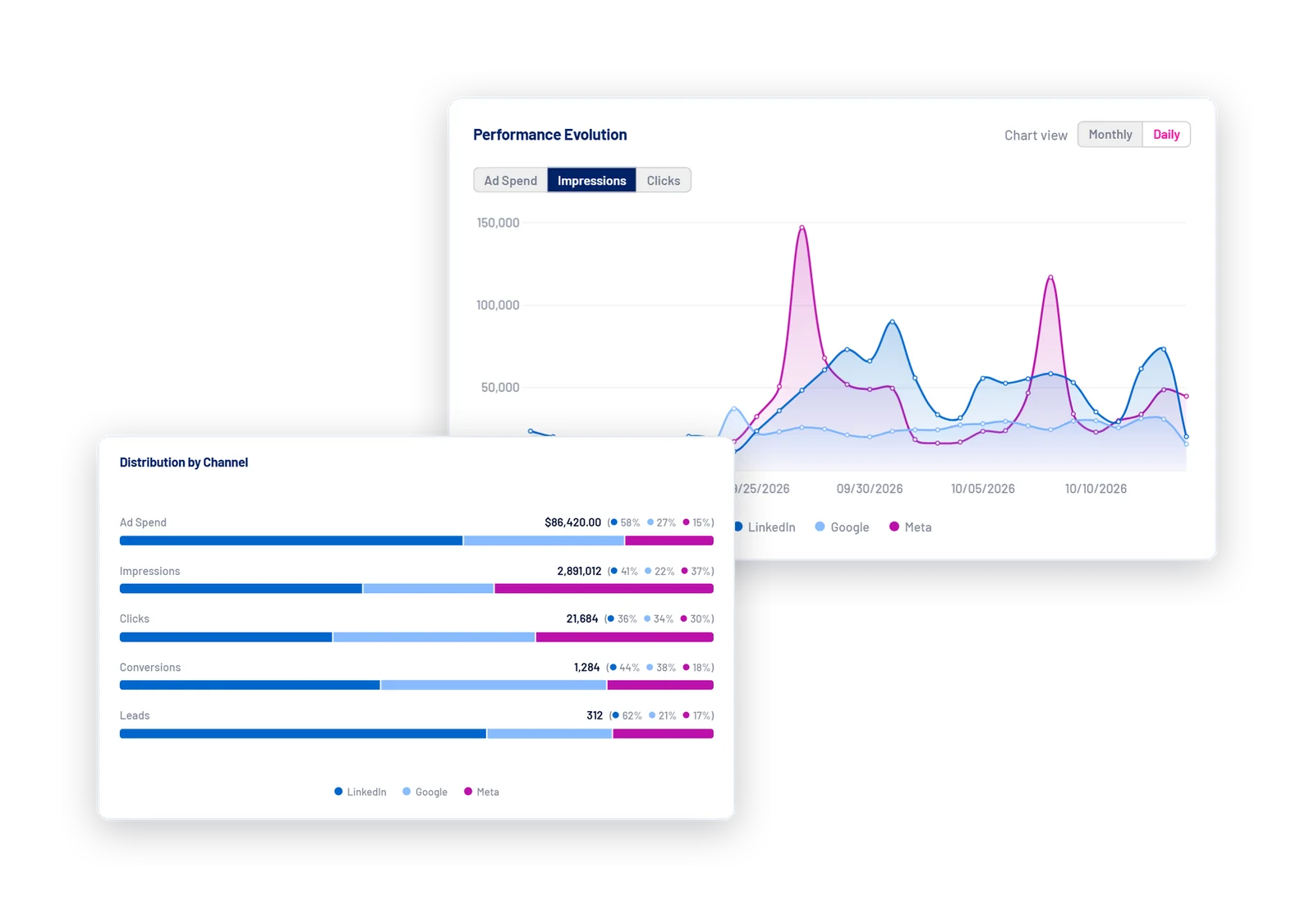
It works with all three. The Dashboard brings LinkedIn Ads, Google Ads and Meta Ads into the same view, and leads from all three platforms’ native forms arrive in LinkedScope.
And LinkedIn Ads is not required: with only Google Ads or Meta Ads, you can already use the Dashboard, leads management and the MCP.
You can also sync contacts with each network’s audiences and send leads and qualified leads back as conversions. Reached companies and job titles, Intent Index and Spark Prospects use company-level data that only LinkedIn provides, so they are exclusive to LinkedIn campaigns.
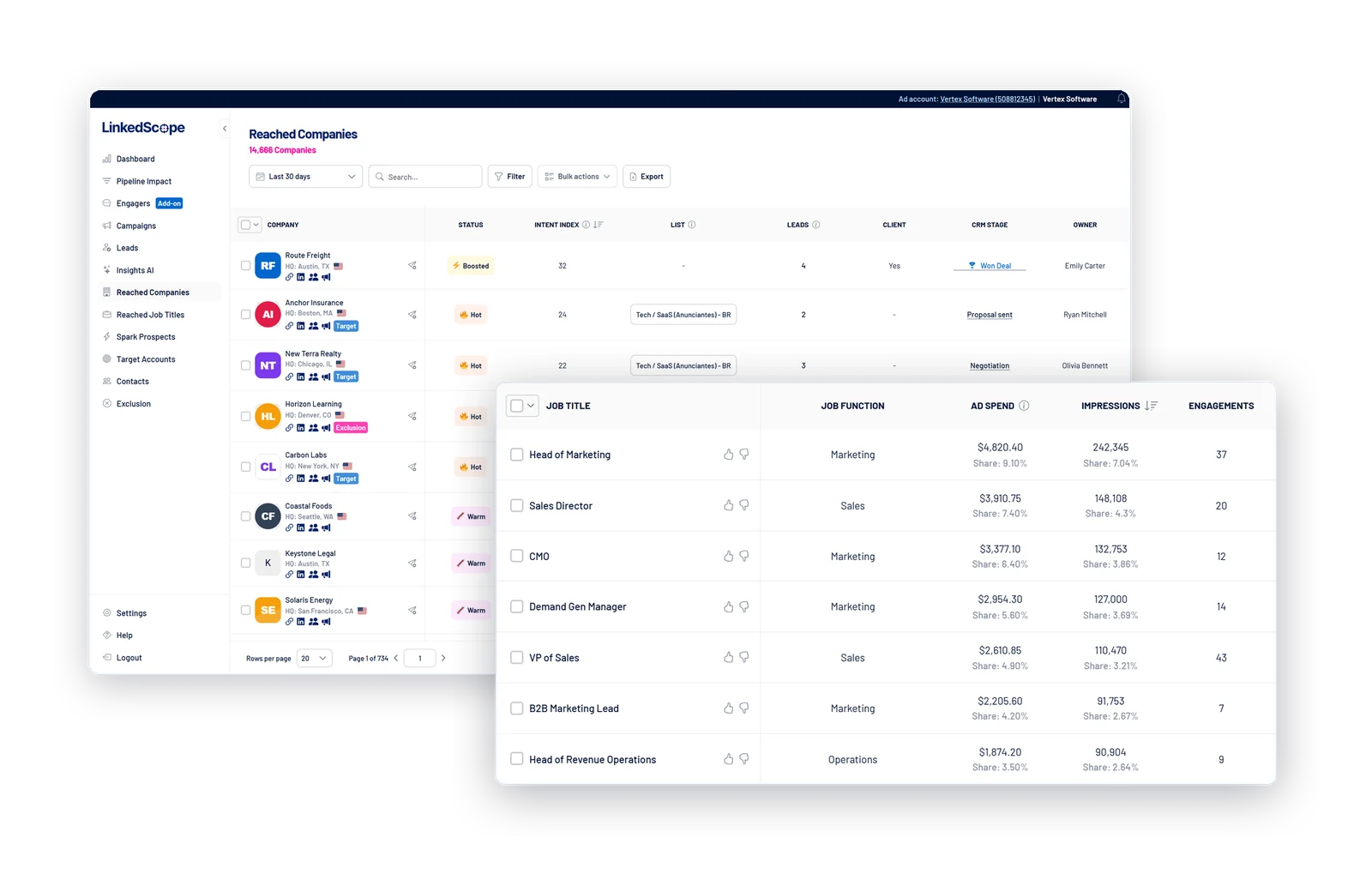
Yes. The Reached Companies screen lists every company that saw or interacted with your ads in the last 7, 30, 90 or 180 days, with filters by campaign group and campaign, straight from the official LinkedIn API.
Each company has a timeline of up to 24 months with impressions, engagements, clicks and deals, plus its Intent Index. See how Reached Companies works.
The Intent Index is a 0–100 score LinkedScope gives to every company reached on LinkedIn. It weighs impressions, engagement rate, dwell time, website clicks, conversions and leads from every channel, and stronger signals count more.
Spark Prospects are the companies that meet the signals you define, such as Intent Index, organic engagement or an open deal: a list updated every week so the sales team can prioritize the accounts already engaged. See how the Intent Index is calculated.
It is LinkedScope’s AI workspace: you ask questions in natural language about leads, reached companies, campaigns and ads, and the answer is calculated from your account’s data.
There is also Insights AI, which analyzes every active LinkedIn campaign, rates the health of each one and suggests the next step. The AI also prepares actions for your approval, and the LinkedScope MCP brings the same data and tools to Claude, ChatGPT, Cursor and other assistants.
No. The data comes from the official LinkedIn, Google and Meta APIs.
There may be small differences in demographic metrics, which LinkedIn approximates for privacy. And, to compare formats, LinkedScope adds Sponsored Messaging sends to impressions, because LinkedIn no longer reports native impressions for that format. See how metrics are calculated.
No. LinkedScope complements LinkedIn Campaign Manager, Google Ads and Meta Ads Manager.
You keep creating ads on the platforms and use LinkedScope to see the companies, job titles and people reached, match everything with your CRM and automate operational tasks such as exclusions, audience syncs and bid adjustments with safety rules.
Connections to LinkedIn Ads, Google Ads, Meta Ads and CRMs use the official APIs, with authorization you grant on each platform. LinkedScope never asks for or stores your passwords for those tools.
Each account’s data is isolated: no customer can access another’s information, and integration credentials are never displayed in the interface. You can disconnect any integration at any time from Settings.
See the details on our Security & Compliance page.
The free trial lasts 15 days, with access to every feature and no credit card. After that, you choose between the Professional, Enterprise and Premium Advisory plans (with expert support), plus the Engagers add-on.
Billing is monthly or annual (with a discount). Outside Brazil, it is charged in US dollars by card; in Brazil, in reais by card, boleto or Pix. You cancel in the platform itself, and access continues until the end of the period already paid. See plans, trial and subscription.
Yes. Agencies use LinkedScope to run multiple clients, switching between each client’s accounts, proving results with CRM data and delivering ready-made executive reports.
For agencies that bring clients to LinkedScope, there is a partner program with benefits. Talk to us to learn about the terms.
For B2B companies, yes: LinkedIn Ads is the channel that lets you reach decision-makers precisely by company, job title, industry and seniority.
The challenge is measuring the return: decision-makers rarely click and convert right away. LinkedScope solves this by showing which companies were reached, which ones show intent and how much of your closed business went through your campaigns.
Check the help center, with step-by-step guides for every feature, or send us a message. We reply fast.
