
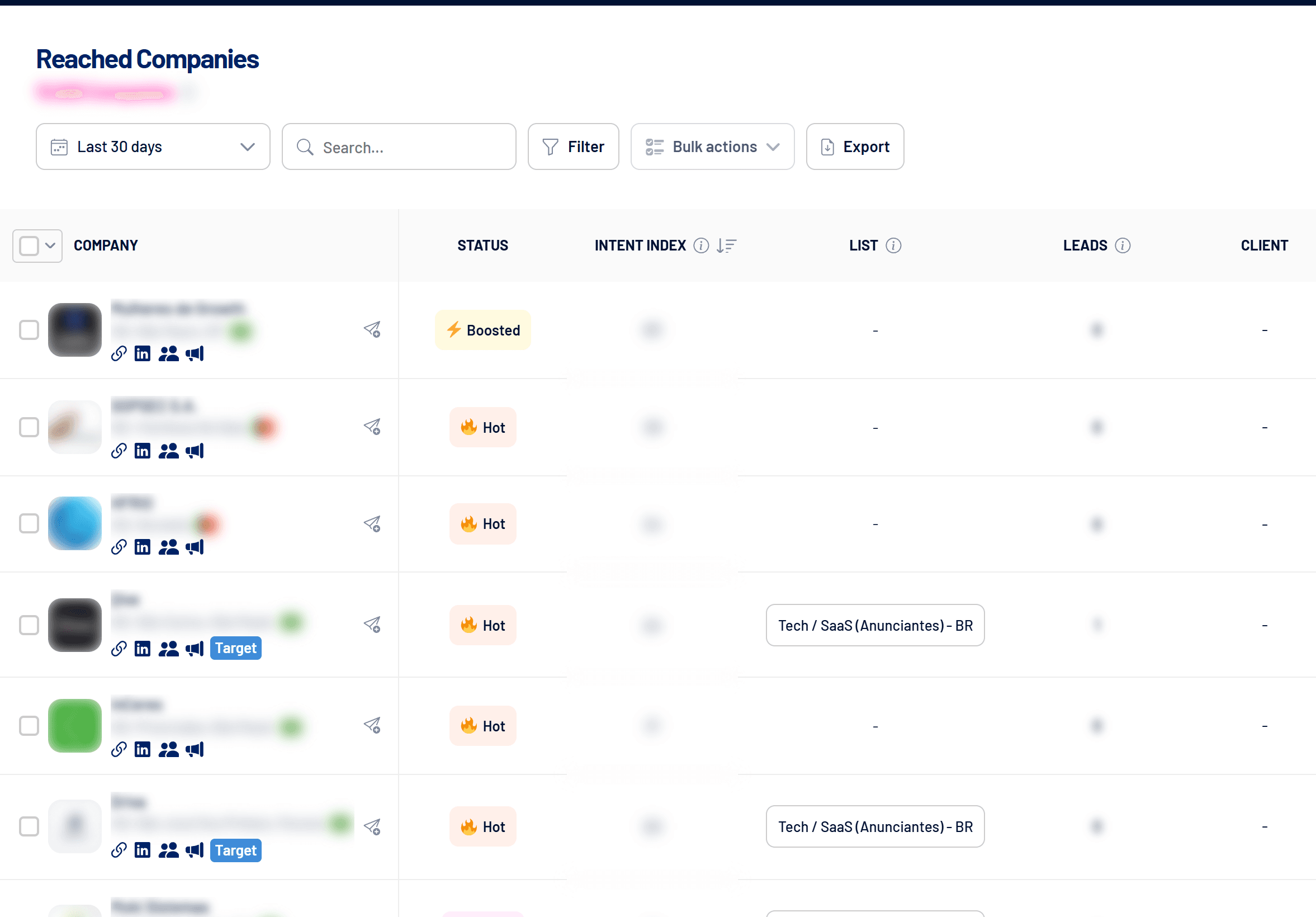
Reached Companies lists every company whose employees saw your LinkedIn ads, with impressions, engagement, leads, intent status and CRM data. It tells you whether your campaigns are reaching the right accounts.
- Where: Reached Companies menu
- Network: LinkedIn Ads
- Period: 7, 30, 90 or 180-day windows
What each column shows
| Column | What it means |
|---|---|
| Status | Boosted, Hot, Warm or Cold, based on the Intent Index. See Intent Index: how it is calculated. |
| Intent Index | A 0-100 score combining impressions, engagement, dwell time, external clicks, conversions and leads. |
| List | The Target Accounts list the company is on, if any. |
| Leads | The company’s leads from every channel within the period. Click the number to open those leads. |
| Client, CRM stage, Owner, Deal value | Data from the connected CRM when the company has deals there. See CRM integrations: how they work in LinkedScope. |
| Spend, Impressions, Engagements, Clicks, CTR, Conversions and more | LinkedIn metrics for the company in the period. |
Icons on each company
- Link: opens the company’s website.
- LinkedIn: opens the company’s LinkedIn page.
- People: searches LinkedIn for people who work at the company, using the Target Accounts list keywords when there are any.
- Megaphone: opens the company’s ads in the LinkedIn Ad Library.
- Paper plane: sends the company to Target Accounts or Exclusion.
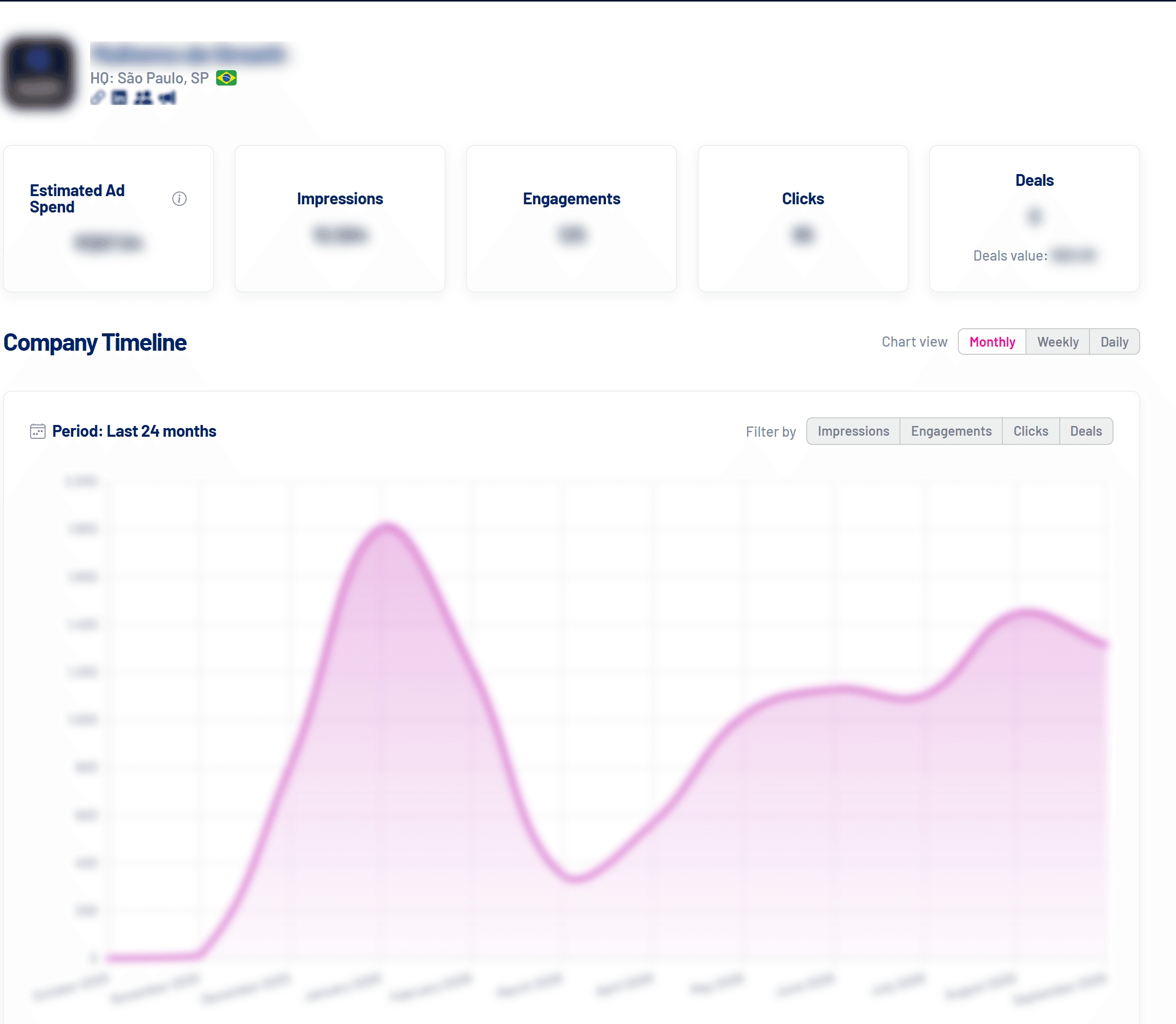
Click the name or logo to open the Company Timeline: estimated spend, impressions, engagements, clicks and deals over the last 24 months, by month, week or day, with each deal’s opening and closing on the chart.
Filter, act in bulk and export
- Filter: by campaign, intent status, list, client, exclusion, CRM stage and owner.
- Bulk actions: select companies and send them to Target Accounts or Exclusion at once.
- Export: downloads the list as CSV with the current period and filters.
Why do companies I didn’t target show up?
Even with a company list on the campaign, LinkedIn can deliver to people who work at more than one company, who changed jobs, through Audience Expansion, at subsidiaries of the targeted companies or after targeting changes.
Frequently asked questions
Why are there only fixed period windows?
Company data comes from a LinkedIn report that works with predefined windows: 7, 30, 90 or 180 days.
One company is taking most of the impressions. What should I do?
Send it to Exclusion or turn on the automatic impression cap per company. See Impression cap per company: how it works.
How do I prioritize accounts for sales?
Sort by Intent Index or use Spark Prospects: the week’s hottest companies, which already filters the hottest ones.