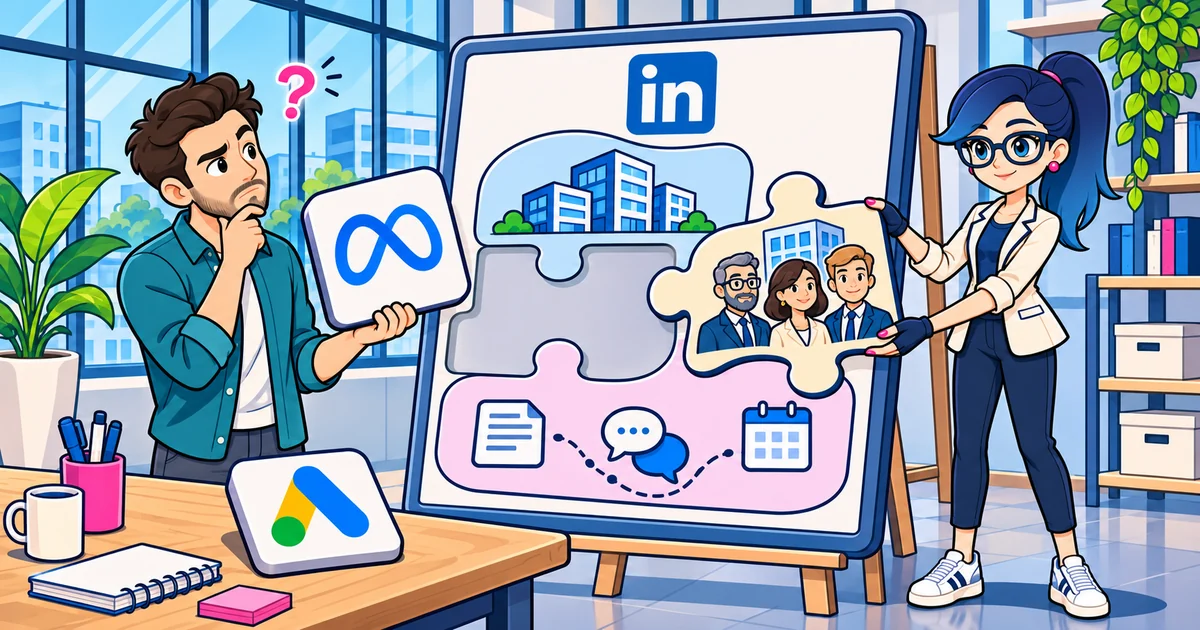
In a nutshell: if you’re a paid media specialist working with B2B clients, LinkedIn Ads is the channel missing from your toolbox. It’s the only one that targets by company, job title, seniority, industry and an exact list of accounts, and B2B clients sell to companies and roles, not to interests. A lot of what you already master on Meta and Google works there (creative testing, funnels, retargeting, CAPI), but some habits get in the way: broad audiences, optimizing for cheap leads, leaving Audience Network on and judging in a week. And results are reported in ICP accounts reached and pipeline, not CPL. To run all three networks together, LinkedScope works as the orchestrator: one dashboard, CRM audiences on all three networks, leads in the CRM and qualified-lead conversions back to the platforms.
If you’re a paid media specialist, I bet your day revolves around Meta Ads and Google Ads.
And LinkedIn Ads lives in the “too expensive”, “doesn’t deliver”, “the client has no budget for that” drawer.
I get it. I’ve heard that a lot too.
But if your clients are companies that sell to companies, you’re leaving on the table the channel that best solves B2B’s biggest problem: talking to the right person at the right company.
This post is for you, paid media specialist. I’ll show why LinkedIn Ads is a strong option for B2B, what you already know works there, what doesn’t, and how to run LinkedIn, Google and Meta together without losing your mind.
Why do paid media specialists with B2B clients need LinkedIn Ads?
Because B2B clients sell to companies and roles, and LinkedIn is the only channel that targets by them.
On Meta, you target by interests and behavior. On Google, by keyword. Both are great at what they do.
But neither guarantees the click came from a purchasing manager at a manufacturer with 500 employees.
On LinkedIn, that’s exactly what you choose.
And the base is big. According to LinkedIn itself, it has more than 1 billion members, and 4 out of 5 drive business decisions.
For your B2B client, that changes the conversation. Instead of “how many leads we generated”, you start showing “which companies in their market have already seen the brand, and who inside them”.
What are LinkedIn Ads’ targeting superpowers?
LinkedIn targets by what people state on their professional profile and by data about the company where they work. Among the available criteria:
- About the person: job title, job function, seniority, years of experience, skills and interests.
- About the company: name, industry, size and growth.
- Your own lists: a company list (the client’s target accounts) and a contact list, with up to 300,000 emails per file.
- Retargeting: website visitors (with the Insight Tag), video viewers, people who opened or submitted a form, people who visited the company page, engaged with content and events, and so on.
To give you a sense of scale, I pulled LinkedIn Ads’ own estimate in November 2026:
| Targeting (United States) | Estimated audience |
|---|---|
| Marketing function, manager or above | ~1.6 million people |
| Director or above, any function | ~32 million people |
In other words: you can target “the marketing managers in the US” without wasting a river of impressions on students, interns and the curious.
And you can go even deeper: upload the list of 200 companies your client wants to win and advertise only to them. That’s ABM, and we have a guide on LinkedIn Ads for ABM.
Two things every specialist needs to know:
- The minimum audience is 300 members. Below that, the campaign doesn’t deliver.
- The targeting “AND” doesn’t tie job title and company together. Some people list more than one current position on their profile, and company size depends on the company page being properly linked. I explain it all in the post on LinkedIn Ads targeting.
Is LinkedIn Ads too expensive for my client?
Clicks and impressions cost more than on Meta and Google. But comparing CPC across channels is comparing different things.
On Meta, the cheap click can come from anyone. On LinkedIn, the expensive click comes from the people you chose.
The math that matters for a B2B client is different:
- How much does it cost to reach the companies in their ICP?
- How much does a real opportunity in the CRM cost?
- How much is a new customer worth, paying a contract for months or years?
When deal sizes are high, one closed customer pays for months of LinkedIn.
The post on how much LinkedIn Ads costs explains where the cost comes from. And if the client has a tight budget, the one on LinkedIn Ads on a small budget shows how to focus.
What can you bring from Meta and Google to LinkedIn?
More than you think. Here’s what works the same:
- Creative testing: several versions per ad set, swap what’s worn out, keep what works.
- Funnel structure: content for cold audiences, offers for retargeting.
- Retargeting: website, video, form, engagement. The post on LinkedIn Ads retargeting has the step by step.
- UTMs and tracking: the Insight Tag is LinkedIn’s “pixel”, and there’s a Conversions API too.
- Native forms: the Lead Gen Form opens inside LinkedIn, pre-filled with profile data.
And the account structure now looks like Meta’s: campaign, ad set and ad.
What DOESN’T work on LinkedIn the way it works on Meta?
The “let the algorithm do its thing” habits. In B2B, they send the budget to whoever clicks, not to whoever buys.
| Meta and Google habit | On B2B LinkedIn |
|---|---|
| Broad audience so the algorithm can learn | An audience the size of the ICP: target accounts × buying committee |
| Optimizing for cheap leads | Sending the qualified lead back and optimizing for it |
| Automatic placements | Turning off LinkedIn Audience Network, which takes the ad off LinkedIn |
| Audience expansion on | Turning off audience expansion when the ICP is defined |
| Lookalikes | Predictive Audiences, carefully, always compared with the ICP audience |
| A form asking cold audiences for a meeting | Content for cold audiences, the heavy offer in retargeting |
| Judging the campaign in 3 to 7 days | The B2B cycle is long: look at ICP reach and engagement by account first |
The most common mistakes are in the post on LinkedIn Ads mistakes. And if your form gets opened but doesn’t convert, there’s a post just on that: LinkedIn lead gen forms.
How do you sell LinkedIn Ads to your B2B client?
By selling access to their market, not clicks.
A few arguments that work:
- “We’ll show up for the companies you want as customers.” Ask for the target account list and show the audience size.
- “Google catches people already searching. LinkedIn catches people who will buy and haven’t searched yet.” Most of the B2B market isn’t buying right now.
- “The report will show which companies saw the brand.” LinkedIn is the only one of the three that reports the companies reached. I explain it in the post on companies reached.
- “Results will be measured in your CRM.” Opportunities and deals, not platform CPL.
And combine the channels instead of swapping one for another. LinkedIn filters, Google captures, Meta adds frequency. I covered this in the post on B2B paid media and in the B2B retargeting playbook with LinkedIn Ads, Google Ads and Meta Ads.
How does LinkedScope help paid media specialists orchestrate all three networks?
LinkedScope connects LinkedIn Ads, Google Ads, Meta Ads and the client’s CRM, and takes the operational work of making them talk to each other off your plate.
Across all three networks:
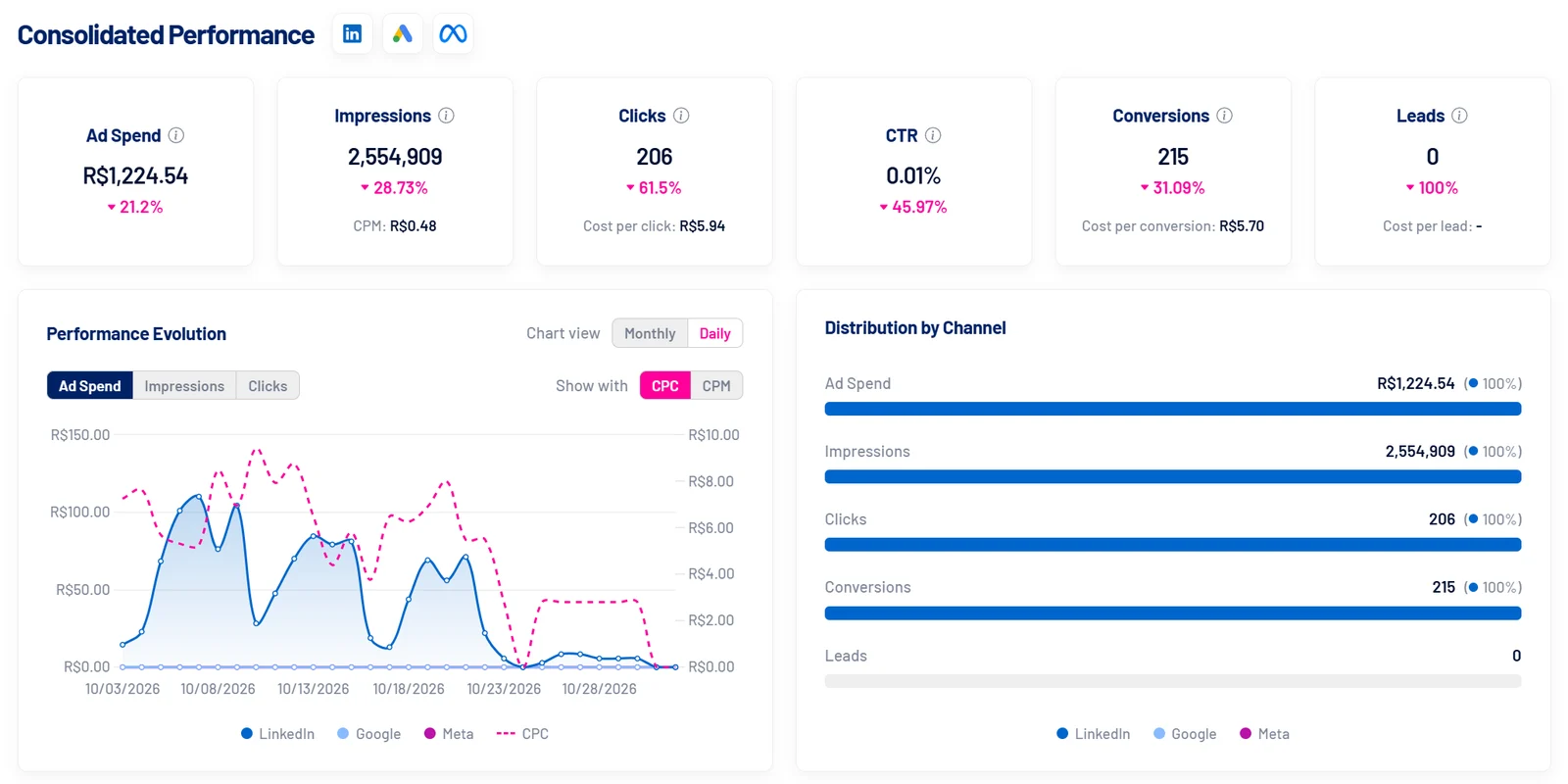
- Consolidated dashboard: spend, impressions, clicks, conversions and leads from LinkedIn, Google and Meta in one place.
- CRM audiences on all three networks: contacts from Target Accounts and from open, won and lost deals become Matched Audiences on LinkedIn, Customer Match on Google and custom audiences on Meta, with automatic sync. What to do with each list, channel by channel, is in the post on lookalike audiences from CRM data.
- Native form leads in the CRM: LinkedIn Lead Gen Forms, Google lead forms and Meta Lead Ads arrive together, without duplicates.
- Qualified-lead conversions back to the platforms: all three networks start optimizing for the people sales approved.
On LinkedIn, where B2B gains the most:
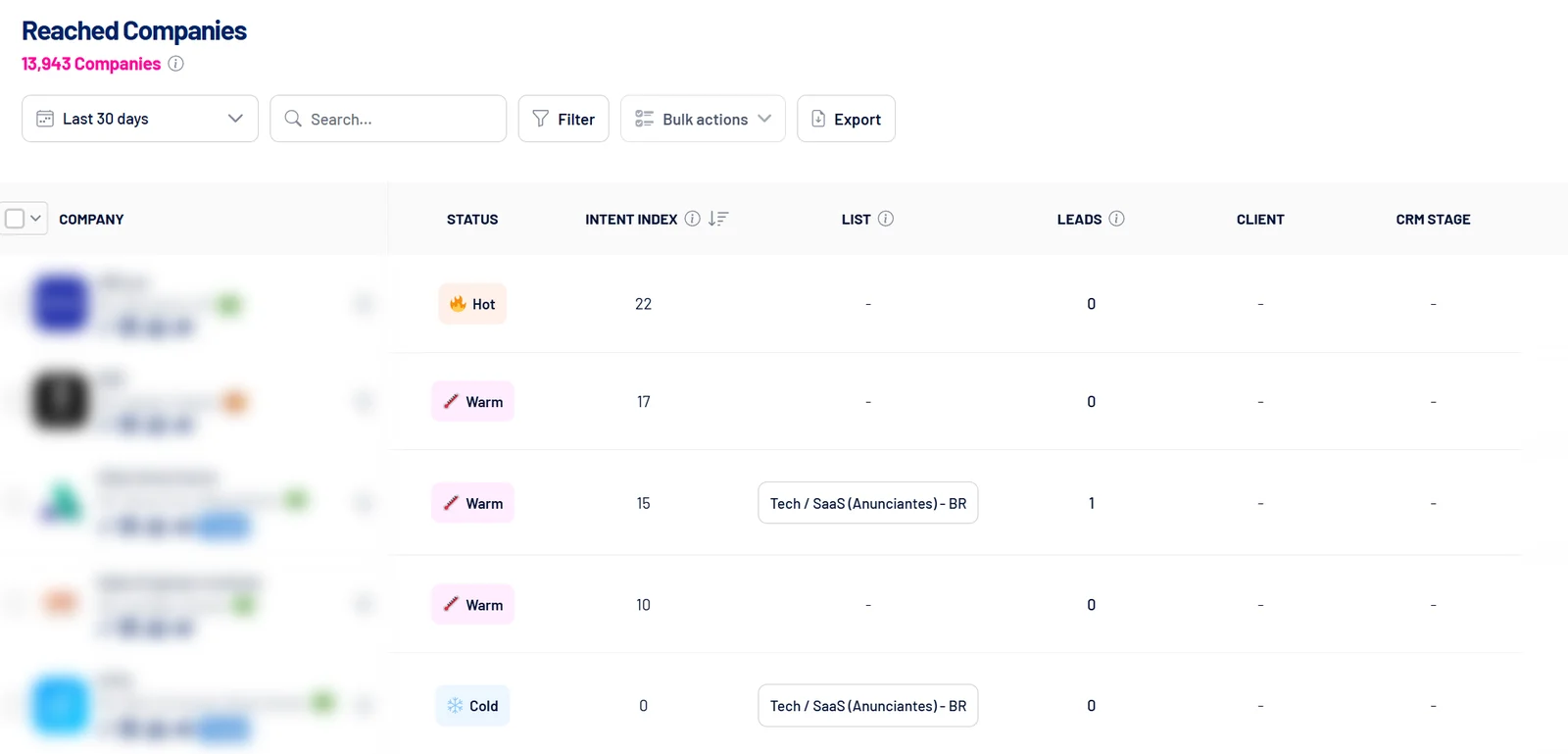
- Reached Companies and Job Titles: who saw the ads, by company and by job title. It’s the proof B2B clients want to see.
- Target Accounts and Exclusions synced with the CRM, with no spreadsheet uploads every week.
- Impression cap per company and automatic bid optimization, so the budget doesn’t pile up on a few accounts.
- Pipeline Impact: CRM deals at companies LinkedIn reached before the deal was created.
- Scheduled Executive Report, so the client gets it without you building slides.
Working with several clients? Each client gets its own LinkedScope account, and you switch between them without leaving the platform. And you can run everything from your AI assistant, like Claude and ChatGPT, with the LinkedScope MCP. How it works in practice is in AI for ads.
Where do you start with LinkedIn Ads?
If you’ve never launched a campaign on LinkedIn, this is the path I’d follow:
- Install the Insight Tag on the client’s site and set up conversions. See LinkedIn Ads conversion tracking.
- Ask for the target account list and build the ICP audience. See targeting and exclusions.
- Pick the objective and the format. See objectives and ad formats.
- Launch the first campaign. The step by step is in how to advertise on LinkedIn.
- Turn on retargeting and combine it with Google and Meta.
And for the full picture, there’s the LinkedIn Ads guide for B2B.
Want to show your client which companies and job titles saw the ads, with LinkedIn, Google and Meta in one dashboard and leads going straight to the CRM? See how LinkedScope works and start your 15-day free trial. 😉
FAQ
Should paid media specialists use LinkedIn Ads?
If they work with B2B companies, yes. LinkedIn Ads is the only channel that targets by company, job title, seniority, industry and an exact list of accounts, which is exactly how B2B clients sell. It complements Meta and Google instead of replacing them.
Is LinkedIn Ads more expensive than Meta Ads and Google Ads?
Clicks and impressions usually cost more. But a LinkedIn click comes from someone you chose by company and job title, so the right comparison is cost per ICP account reached and per opportunity in the CRM, not CPC.
What changes for someone coming from Meta Ads?
Creative testing, funnels, retargeting and tracking work similarly. What changes: an audience the size of the ICP instead of a broad one, optimizing for qualified leads, LinkedIn Audience Network and audience expansion turned off when the ICP is defined, and patience with the B2B cycle.
What’s the minimum audience to run a LinkedIn Ads campaign?
300 members. Below that, the campaign doesn’t deliver.
How do you manage LinkedIn Ads, Google Ads and Meta Ads together?
With a CRM at the center and a tool that connects all three networks to it. LinkedScope consolidates performance, syncs CRM contacts as audiences on all three networks, brings native form leads into the CRM and sends qualified leads back as conversions.