
Create a webhook in a few minutes to send leads, engagers, reached companies, campaigns, ads or prospects to another tool.
- Where: Settings > Webhooks > Add webhook
- You’ll need: a URL that accepts JSON POSTs, such as an n8n or Make webhook
- Time: 3 minutes
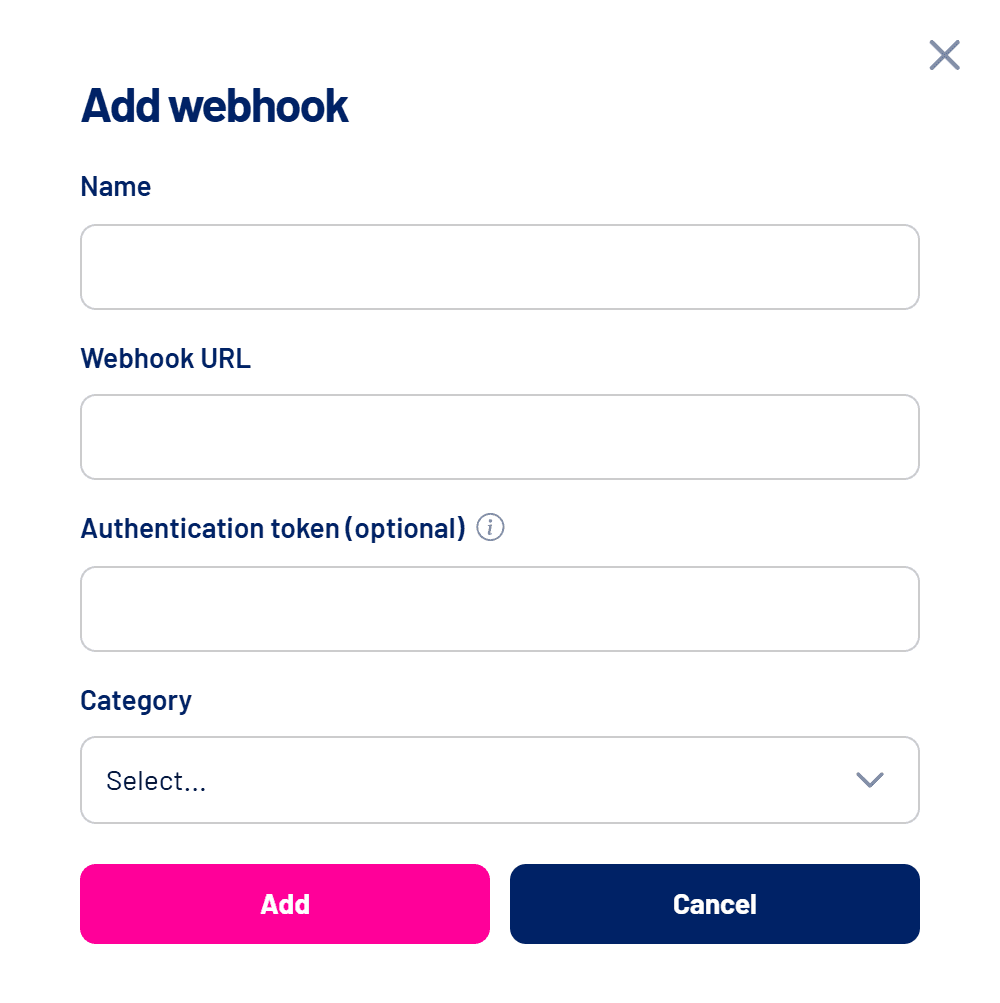
Step by step
- Open Settings > Webhooks and click Add webhook
A panel opens on the right. - Give it a name
Something that identifies the destination, such as “n8n – new leads”. - Enter the Webhook URL
Use the full address, starting with https:// (or http://). Addresses without a protocol are rejected. - Enter an Authentication token (optional)
It is sent in theAuthheader so the destination can confirm the call came from LinkedScope. - Choose the category
Reached Companies, Campaigns, Ads, Leads, Engagers or Outreach. See what each one sends in Webhooks: how to send LinkedScope data to other tools. - Fill in the category’s fields
Scheduled categories ask for a Sending frequency (daily, weekly or monthly) and a Data interval (7, 15, 30 or 90 days). Leads, Engagers and Reached Companies accept the Send Only Target Accounts and Send only non-clients Conditions. - Click Add
The webhook shows up on the list. - Test it
On the list, click the icon in the Test column to send a test call and check that the destination receives it.
Building the flow in n8n or Make
Create the webhook trigger in the tool first, copy the production URL and paste it into LinkedScope. Use the Test button to receive a sample and map the fields.
Edit and remove
Use the pencil to edit and the trash icon to remove. If the webhook gets paused because of destination errors, changing the URL to a new one reactivates it. See Automatically paused webhook: why it happens and how to reactivate it.
Frequently asked questions
The URL was rejected.
Check that it starts with https:// or http:// and has a valid domain.
The test didn’t arrive.
Check that the destination is published and accepts POST. In n8n, use the production URL with the workflow active.
Who can create webhooks?
Owner, Admin and Manager. The Operator level has no access to the Webhooks tab.