
The Executive Report sums up what LinkedIn Ads delivered in leadership-ready pages: spend, reached companies, influenced pipeline, leads, engagement and campaigns. You schedule it once and it arrives by email for whoever you choose.
- Where: Settings > Reports
- Who can schedule: Owner, Admin and Manager
- Requirement: LinkedIn Ads connected with an ad account selected
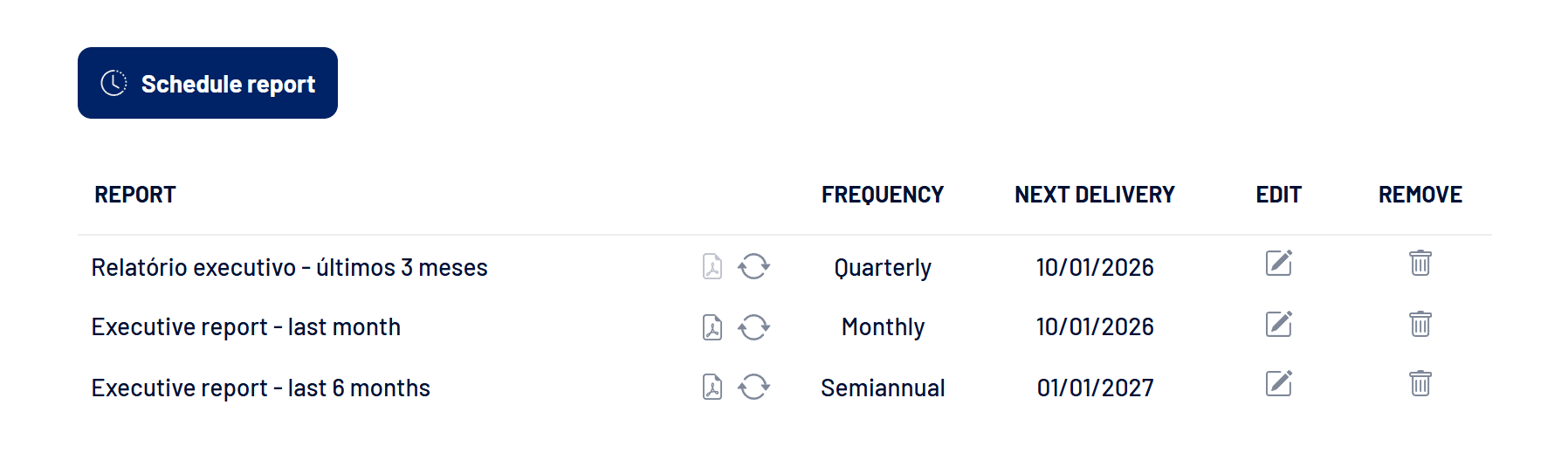
How to schedule a report
- Click Schedule report
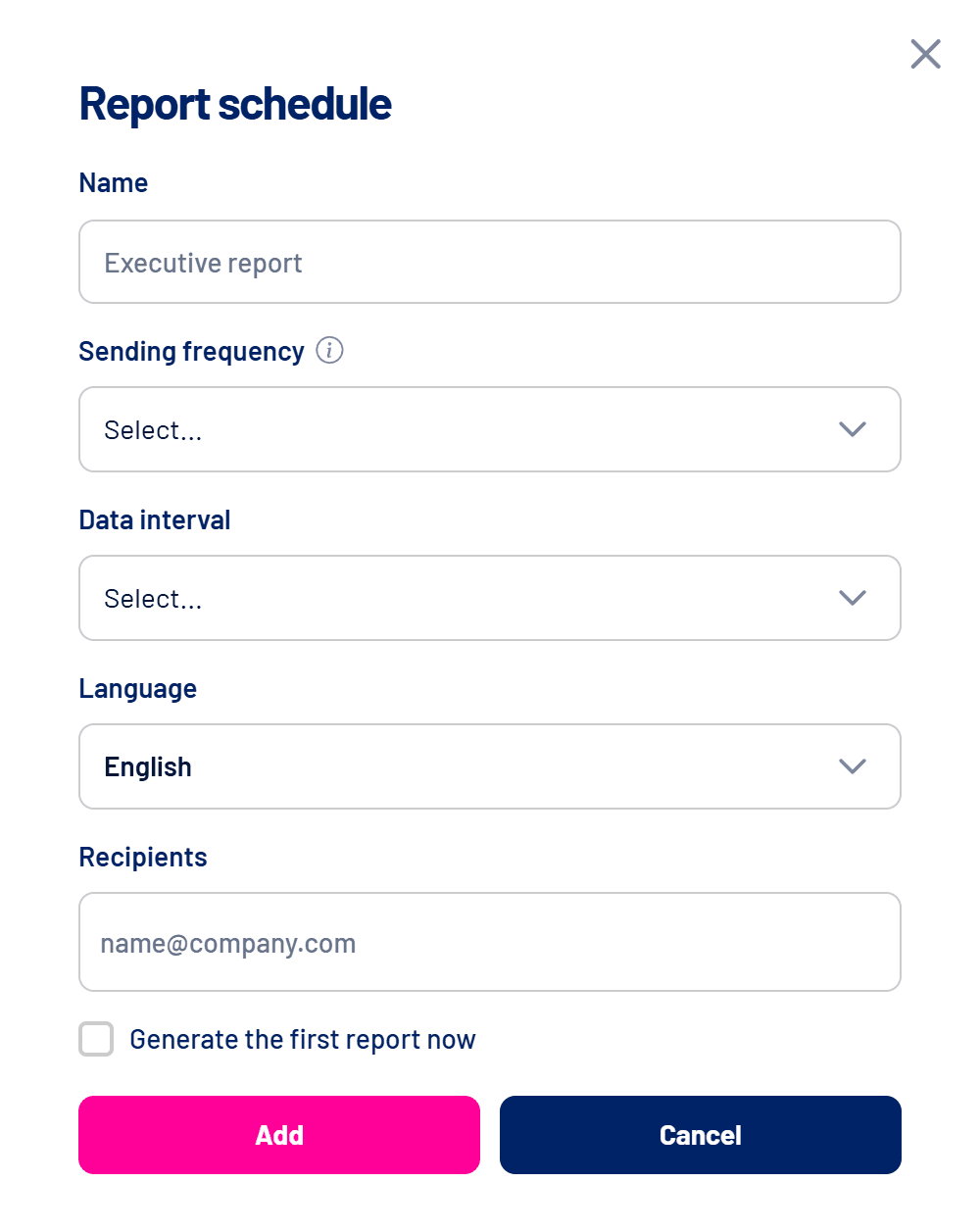
The scheduling window opens.
- Give it a name
If you leave it blank, the name is generated from the period. - Choose the frequency
Monthly (1st of every month), Quarterly (1st of January, April, July and October) or Semiannual (1st of January and July). Deliveries happen at 09:00 UTC. - Choose the data interval
Last month, last 2, 3 or 6 months. The report covers full months, ending on the last day of the previous month. - Choose the language and recipients
Portuguese, English or Spanish. Recipients can be any email, including people outside LinkedScope. - Generate the first one now, if you want
Check Generate the first report now so you don’t wait for the next date.
When the report is ready, each recipient gets an email with a link to open it. On the list, the document icon opens the latest report and the refresh icon generates a new one right away.
What the report shows
| Page | Content |
|---|---|
| Pipeline Impact | Spend, reached companies, Spark Prospects, influenced pipeline, won and lost deals and return on investment. |
| LinkedIn’s influence on deals | Won deals, close rate, average value and sales cycle, influenced and not influenced. CRM only. |
| Top companies | Most impressions, highest Intent Index and, with a CRM, highest commercial value. |
| Leads | Totals, qualified leads, Target Account leads and source by channel, medium and campaign. |
| Engagers | Most engaged companies and people and the top content. Engagers only. |
| Campaign strategy | Spend by objective and by format and the campaign table. |
Pages without data, such as CRM or Engagers pages, are left out automatically.
Frequently asked questions
The scheduled report didn’t arrive.
Check that LinkedIn Ads is connected with an ad account selected and that the subscription is up to date. Otherwise generation is skipped and the date moves to the next cycle.
Can I have more than one report?
Yes. Create as many schedules as you want, for example a monthly one for the team and a quarterly one for leadership.
How do I stop receiving it?
Remove the schedule from the list with the trash icon.