Spark Prospects: the week’s hottest companies

Spark Prospects is the list of companies most ready for a sales approach. Every Sunday, LinkedScope checks the companies reached by your ads against the signals you set and adds the ones that match all of them.

  • Where: Spark Prospects menu
  • Refresh: every Sunday at 03:00 UTC, and right after each signal change
  • Who sets the signals: Owner, Admin and Manager
  • Plan: Enterprise or higher
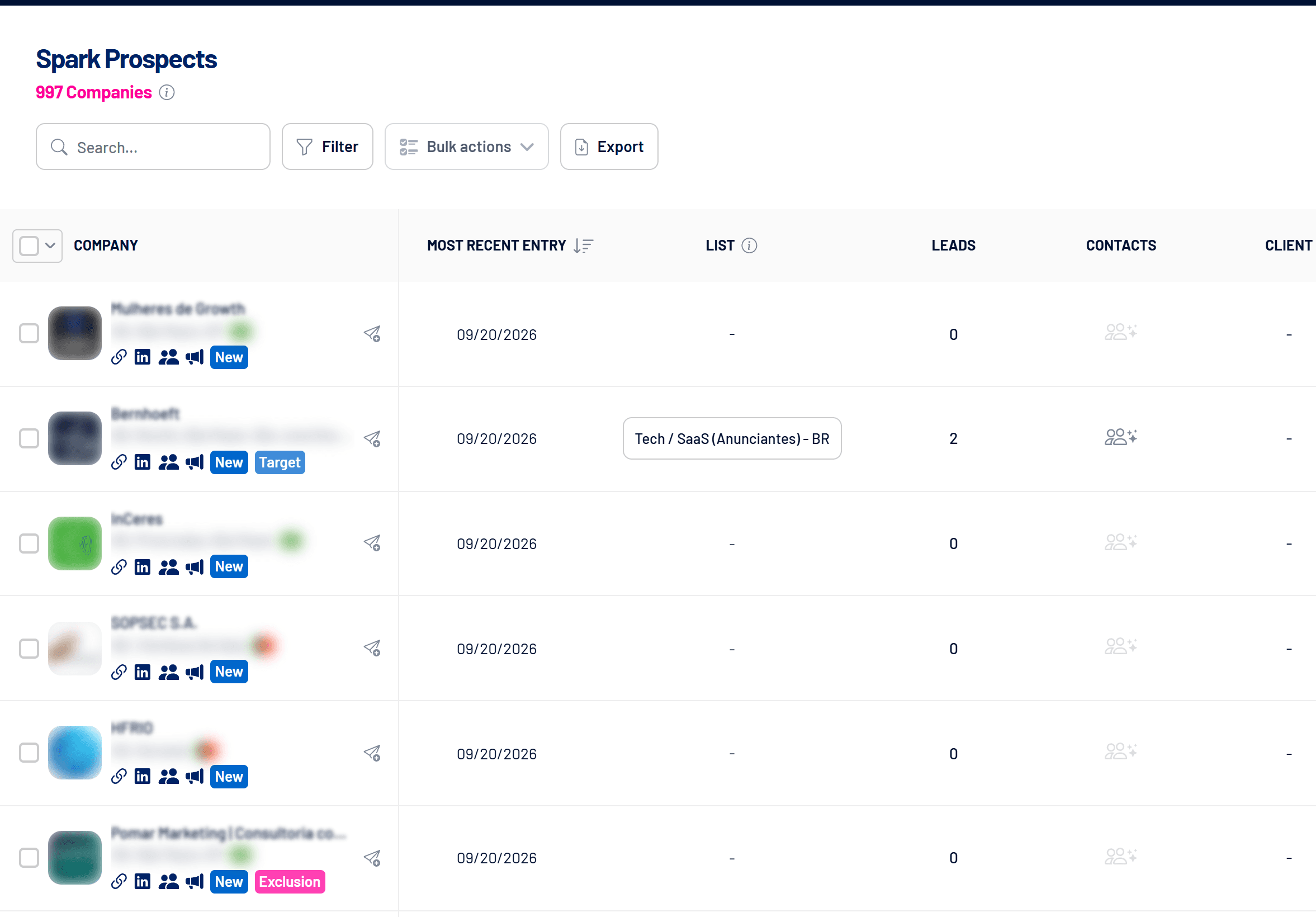
Spark Prospects screen with most recent entry and lists (names hidden)
Each company shows its most recent entry, list, leads and CRM data.

How a company gets on the list

A company enters when it matches every signal saved under Set signals: Intent Index, impressions, paid engagements, Engagers reactions and comments, an open or won CRM deal, and Target Account. With no custom signals, the default applies: Intent Index greater than 20. See How to set the Spark Prospects signals and Intent Index: how it is calculated.

The Most recent entry column shows the last evaluation in which the company matched the signals, and the New tag highlights the ones that just came in. You also get a notification when there are new companies.

The list is a history

  • Once a company enters, it stays on the list and in the export, even if it stops matching the signals.
  • When it matches the signals again, its Most recent entry and metrics are updated.
  • In a week when it doesn’t match, it keeps the date and metrics of its last entry.
  • Changing the signals removes no one: the new rule applies from the next evaluation.

How to use the list

  • Prioritize: sort by most recent entry and filter by client, CRM stage, list, exclusion or owner.
  • Send to Target Accounts: with the paper-plane icon or Bulk actions, to follow the account and sync it as an audience.
  • Find people: the people icon opens a LinkedIn search for the company’s employees.
  • Export: download the list as CSV for your sales team.
  • Take it to your CRM: with the Send new Spark Prospects to connected CRM automation, each new company opens a deal in the stage you choose. See How to send new Leads and Spark Prospects to your CRM.

Leads without a date filter
Here the Leads column shows every lead ever associated with the company, because the screen has no date picker.

Before the first evaluation

While the account has no completed evaluation, the screen introduces Spark Prospects with a Set signals button. Once you save the signals, the evaluation starts right away, and the screen switches on its own to the company list, or to the no-data message if no company matches the signals.

Frequently asked questions

Did a company leave the list?

No. Once a company enters, it stays, and its most recent entry date updates whenever it matches the signals again.

Do I need to set anything up?

It’s optional. With LinkedIn Ads connected and campaigns running, the default (Intent Index greater than 20) already works. Set the signals to fit the list to your sales process.

I changed the signals. When do I see the result?

Saving starts a new evaluation over the last 30 days. While it runs, the current list stays visible with a notice that the rule was saved.

A notice says CRM data is unavailable.

CRM signals need a complete CRM sync. Without it, the evaluation isn’t applied and the list stays as it was. Try again after the next sync.

Is the Pipeline Impact Engaged Companies card the same list?

No. That card counts reached companies with a Boosted or Hot Intent Index in the report period, regardless of the Spark Prospects signals. See Pipeline Impact: how to measure LinkedIn’s influence on pipeline.

Where do I see every reached company?

In Reached Companies: how it works.